Fix Safety Document Control in 8 Steps for Document Controllers
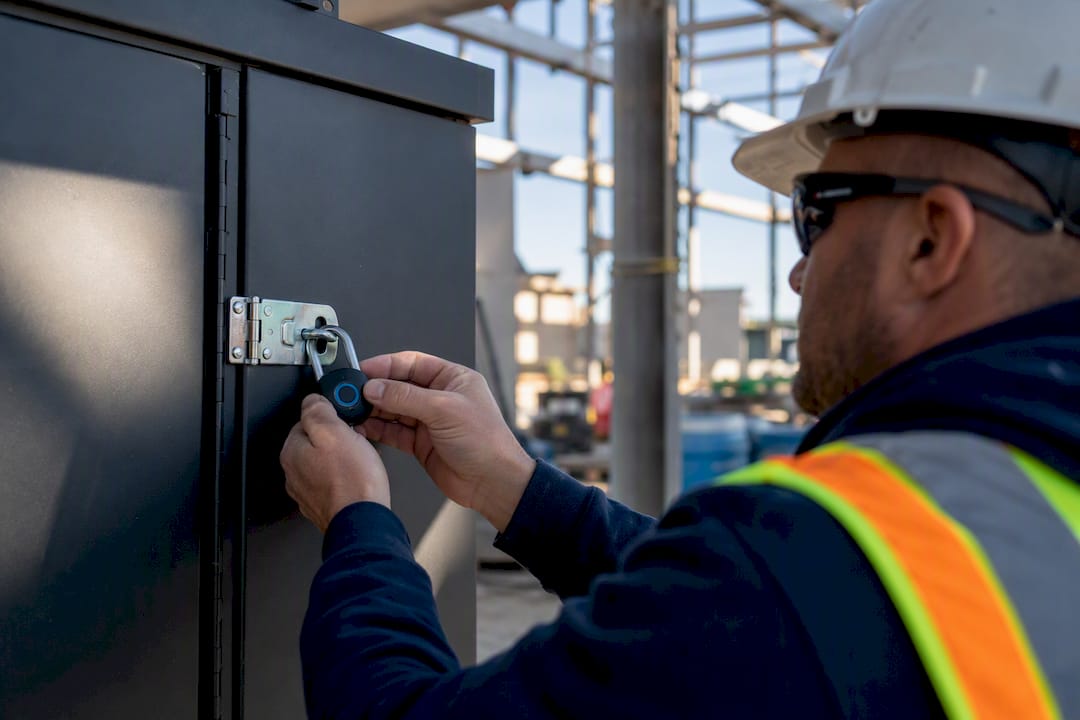
Safety document control is the process of creating, approving, distributing, and retaining safety records so the right version reaches the right person, every time. The moment gaps show up, in incident reports, permits, or procedures, audits fail and injuries follow. Your first move is simple: pick one single source of truth, enforce version control against it, and align it to frameworks like ISO 9001. Tools such as Dirt Champ make that first step far easier to hold onto.
TL;DR:
- Enforcing strict version control and role-based access ensures that the latest safety documents are used and unapproved changes are prevented on-site.
- Implementing a standardized naming and revision system reduces disputes over document currency and supports audit compliance with superseded files archived safely.
- Transitioning from spreadsheets to dedicated document management systems is crucial once projects grow complex, with features like immutable history and offline access improving control.
- Linking incident reports to relevant procedures and tracking corrective actions helps verify that issues are properly addressed and not overlooked after initial reporting.
- Using digital tools like Dirt Champ streamlines field data collection, automates distribution of updates, and ties safety records directly to field activity for real-time, reliable documentation.
Table of Contents
- What does safety document control actually cover?
- What key elements does every safety document control system need?
- How do you set up or tighten safety document control?
- What naming and versioning rules should you copy?
- When should you move off spreadsheets?
- How should you track incident documentation and corrective actions?
- What do document controllers get wrong day to day?
- How Dirt Champ keeps your safety records under control
- Sources
What does safety document control actually cover?
Safety document control isn’t just filing paperwork. It covers every document that proves your site is operating safely and legally, and it governs how those documents move from draft to daily use.
That includes:
- Safe work procedures and method statements
- Permits to work (hot work, confined space, excavation)
- Incident and injury reports
- Inspection and audit logs
- Training records and toolbox talk sign offs
General document management asks “where’s the file?” Document control asks “is this the current, approved version, and can I prove who signed off on it?” That distinction matters when an incident investigator asks for the procedure that was in force on the day, not the one sitting on someone’s desktop now. Poor document control commonly drives rework, schedule delays, and legal exposure when investigators can’t establish which version was actually in use.
What key elements does every safety document control system need?
A safety document control system stands on a handful of non-negotiable parts. Miss one and the whole structure gets shaky, usually right when you need it most.
- Version control and change logs — every revision numbered, dated, and traceable to who made the change
- Role based access — field crews see current procedures, only authorised staff can edit or approve
- Templates — consistent formats for SOPs, permits, and incident reports so nothing gets missed
- Formal review and approval steps — a named approver, not “whoever’s free”
- Distribution and communication rules — how updates reach the field, and proof they were received
- Audit trails — a record of who accessed, changed, or approved a document, and when
- Retention rules — how long each document type stays accessible before archiving
ISO 9001 Clause 7.5 requires organisations to control documented information so the correct version is available where it’s needed and protected from unauthorised change. That’s the benchmark most auditors will hold you to, whether you’re certified or not.
Pro Tip: If you can only fix two things this month, fix version control and access control first. Every other weakness, missed reviews, patchy training records, is easier to solve once people are working from one current document.
How do you set up or tighten safety document control?
Follow this sequence and you’ll have a working system inside a quarter, not a year.
- Define ownership and scope. Name one document controller (or a small team) and list exactly which document types fall under the system.
- Set naming and versioning rules. Agree on a filename convention and a revision marker before you create a single template.
- Build your templates. Standardise SOPs, permits, and incident report formats so every document looks and behaves the same way.
- Set review and approval timelines. Give each document type a mandatory review cadence, annually for procedures, immediately for incident reports.
- Centralise storage and distribution. One platform, one folder structure, no email attachments floating around as the “real” copy.
- Train your teams and run a pilot. Roll out to one crew or one site for four to six weeks before going wider.
- Audit and iterate. Check version compliance monthly for the first quarter, then quarterly once it’s steady.
- Lock in the review cycle. Calendar every document’s next review date so nothing goes stale unnoticed.
The ANU’s WHS documentation procedure sets out this same lifecycle, creation, approval, review, archiving, and ties it directly to training obligations. That’s worth copying: a document control system that doesn’t train people on the changes isn’t really controlling anything.
What naming and versioning rules should you copy?
A clear naming convention removes almost all the ambiguity that causes version disputes. A workable pattern looks like this:
[Project]-[Discipline]-[DocType]-[Sequence]-[Revision]
For example: SITE12-WHS-SWP-004-R2
SITE12identifies the project or siteWHSflags the discipline (safety, as opposed to engineering or quality)SWPis the document type (safe work procedure)004is the sequential document numberR2marks it as the second revision
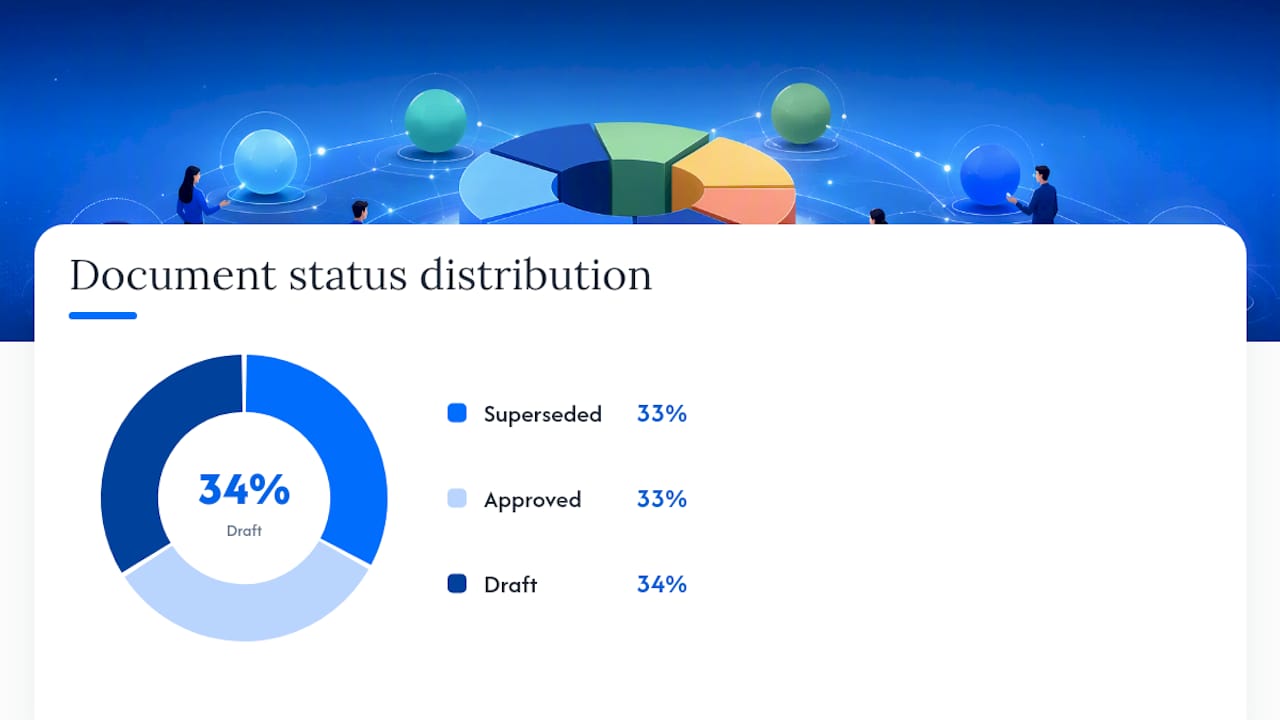
Mark documents clearly as Draft, Approved, or Superseded, and move superseded versions to a locked archive folder rather than deleting them. You still need them for audits and incident investigations.
Your template checklist for SOPs and incident reports should cover: title and document number, revision history table, approver name and date, distribution list, and a linked reference to any related permit or risk assessment.
| Filename | Status |
|---|---|
| SITE12-WHS-SWP-004-R1 | Superseded |
| SITE12-WHS-SWP-004-R2 | Approved |
| SITE12-WHS-INC-R1 | Draft |
When should you move off spreadsheets?
Spreadsheets work until they don’t, and the tipping point is more predictable than most controllers expect. Organisations typically hit breaking point once they’re juggling many active projects, dealing with high change order volume, or losing a significant portion of admin time to non-productive coordination. If any of that sounds familiar, lost versions in email threads, someone working off last month’s permit, it’s time to look at a dedicated system.
A genuine document management system needs to deliver:
- Immutable version history — old versions stay visible, never overwritten
- Role based permissions — matched to who actually needs to edit versus view
- Mobile and offline access — so field crews aren’t stuck without signal
- Automated distribution and notifications — updates push to the right people automatically
- Integrations — with incident reporting, risk assessments, and rostering
- Audit logging — every access and change timestamped
Field first functionality, offline mode, photo attachments, simple mobile uploads, is often the deciding factor in whether crews actually use a system or quietly go back to paper. Platforms like Dirt Champ build around that reality, connecting digital pre-starts and dockets with compliance records so field data lands in the office without a re-entry step. Run any new system as a pilot on one site for four to six weeks before rolling it out further, and be upfront with your team that procurement takes longer than the software demo suggests.
How should you track incident documentation and corrective actions?
An incident report that goes nowhere after it’s filed isn’t document control, it’s paperwork. Every incident record needs a clear path from initial report through to a closed out corrective action, with dates attached at each stage.
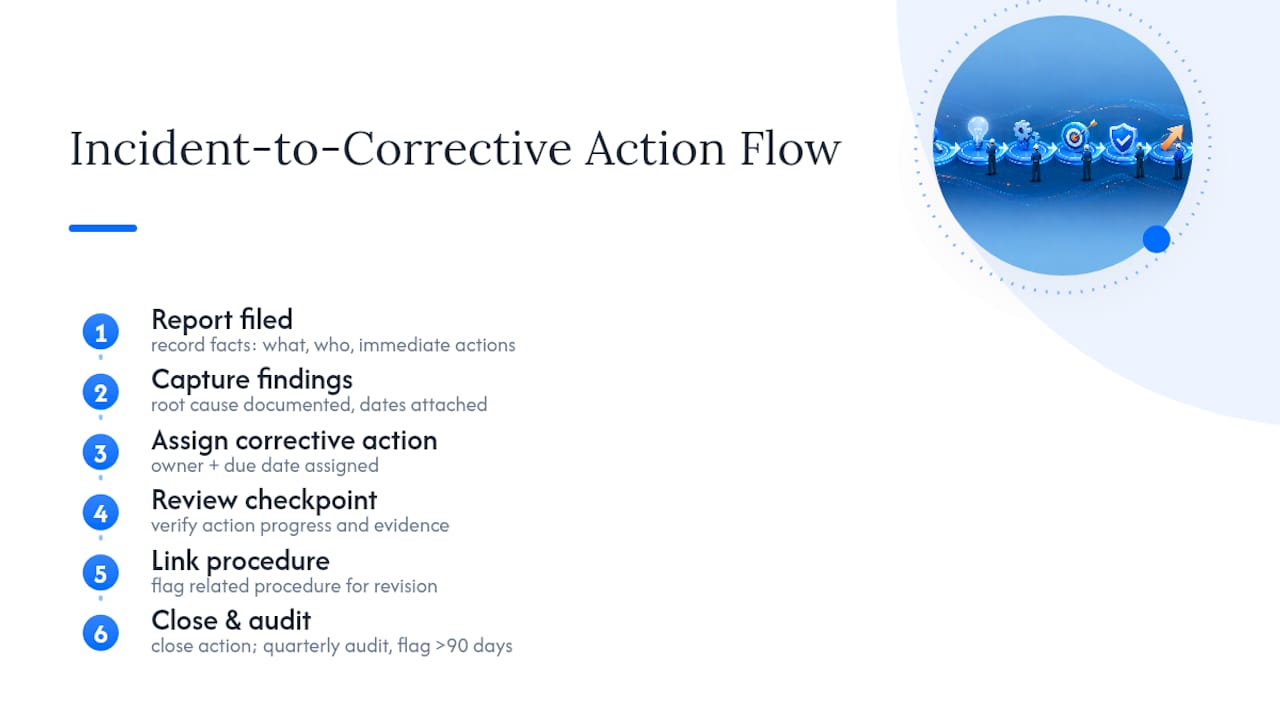
At minimum, your incident documentation should capture: what happened, who was involved, immediate actions taken, root cause findings, and the corrective action assigned, with an owner and a due date. That corrective action then needs its own review checkpoint. Too many systems record the incident well and lose track of whether the fix actually happened.
Link incident records to the relevant procedure or risk assessment they relate to. If a safe work procedure caused confusion that led to a near miss, that procedure should be flagged for review as part of the corrective action, not handled as a separate task nobody follows up on. This is where document control overlaps directly with your broader safety management system: an incident report is a record (never edited after the fact), while the procedure it points to is a document (revised and reissued). Keeping that distinction clear stops teams from quietly editing history instead of fixing the actual problem.
Audit your corrective action register quarterly. Open items older than 90 days are usually a sign the ownership wasn’t clear in the first place, not that the fix is genuinely hard.
What do document controllers get wrong day to day?
The most common failure isn’t a missing procedure, it’s three versions of the same procedure sitting in different email inboxes. Fix that with one rule: nothing gets emailed as an attachment once it’s in the system, only linked. Pair it with short, mandatory refresh training whenever a major document changes, five minutes at a toolbox talk beats a forgotten email.
Field teams stay engaged when access is simple, not when it’s thorough. If opening a permit takes six taps, someone will print it and lose track of the version. Keep mobile access to two taps or fewer for anything crews need daily, including safety workflows used in grounds and property teams, which face the same field adoption problem construction crews do.
— Mike
How Dirt Champ keeps your safety records under control
Dirt Champ solves the exact problem this guide walks through: safety documents scattered across emails, spreadsheets, and someone’s ute, instead of one system everyone trusts.
Three things make it work for truck and civil teams specifically. Digital pre-starts and dockets replace paper forms crews actually fill out, because they’re built for a phone screen, not a desktop. Compliance documents and audit trails sit centrally, so when an auditor asks who approved a procedure and when, you’ve got the answer in seconds, not a folder search. GPS traceability through the OBD port ties field activity back to the record automatically, so your documentation reflects what actually happened on site, not what someone remembered to log later. If your current system is held together by email attachments and hope, book a look at Dirt Champ and see what a single source of truth actually looks like in practice.