8 Block Defensible GPS Tracking Policy for Employees

Yes, employers can track company owned vehicles and equipment, but only within limits set by privacy and workplace surveillance law. The single most important step is publishing a written GPS tracking policy for employees and collecting documented acknowledgement before you switch anything on. Off-hours use, take-home vehicles, and personal devices each need their own carve-out, and skipping that step is where most disputes start.
TL;DR:
- A GPS tracking policy must clearly state its purpose, scope, data collected, permitted uses, access controls, data retention, tampering consequences, and acknowledgement requirements.
- Laws demand official written policies with documented employee acknowledgment, especially for tracking outside work hours, on personal devices, or involving personal data.
- Jurisdictional differences require employers to verify specific legal and consent requirements in their state or country before implementing GSM policies.
- Configuring tracking systems accurately to match policy promises, such as work-hour limits and data encryption, is crucial for legal compliance.
- Regular risk assessments, updates, and employee re-acknowledgment reinforce policy defensibility, while technical controls prevent accidental or unauthorized data collection.
Table of Contents
- What to include in your GPS tracking policy
- Core legal principles that determine what your policy must say
- Where jurisdictions differ on GPS monitoring policy rules
- How to obtain lawful, defensible consent
- Technical controls that back up your data minimisation rules
- Step-by-step rollout checklist for your tracking policy
- Ready-to-use sample clauses for your policy document
- Notes from a telematics software provider on common rollout mistakes
- What the data actually tells you to prioritise
- How Dirt Champ supports a compliant GPS tracking policy
- Sources
What to include in your GPS tracking policy
A defensible policy reads like a contract, not a memo. It states exactly what you’re doing, why, and where the boundaries sit. Employers who skip this step and rely on a verbal heads-up usually lose the argument the moment an employee challenges the monitoring, because there’s no record showing they understood what was happening.
Build your document around these eight blocks, in this order:
- Purpose and lawful business reason. State plainly why you track: route optimisation, fuel management, theft prevention, proof of service, or compliance reporting. Vague justifications such as “monitoring as needed” don’t hold up and invite challenge.
- Scope. Name the assets covered (company trucks, machinery, tools) and explicitly exclude personal phones or vehicles unless a separate BYOD clause applies.
- Data collected, and what isn’t. List location, speed, and ignition status if that’s what you capture, then add a one line assurance of what’s excluded, such as audio, video, or personal app data. That single sentence does more to calm employee concern than pages of legal language.
- Permitted uses. Give concrete examples: verifying job completion, responding to a theft report, or resolving a customer dispute over arrival time. Don’t leave this open ended.
- Access controls. Name the roles that can view data (operations manager, fleet coordinator, HR) and note any third parties, such as insurers or clients, who may receive extracts.
- Retention and deletion. Set a fixed retention period and describe how data is purged afterwards.
- Tampering and disciplinary consequences. State that disabling, covering, or interfering with a tracking device is a disciplinary matter, and say what happens next.
- Acknowledgement and record keeping. Require a signed or digitally logged acknowledgement, dated and stored with the employee’s file.
A written employee GPS tracking policy defines what location data your business collects, how it’s used, and what protections staff have, and having that in writing is what protects you when a dispute lands on your desk.
Core legal principles that determine what your policy must say
Three ideas sit underneath every workplace surveillance law you’ll encounter: transparency, proportionality, and data minimisation. Transparency means employees know monitoring is happening before it starts, not after. Proportionality means the tracking method fits the business reason. You don’t need continuous minute-by-minute logging to confirm a truck reached a job site by 9am. Data minimisation means you collect only what the stated purpose requires, nothing extra “just in case.”
These three principles explain why a signed policy carries so much weight in a dispute. Written monitoring policies that describe what’s tracked, require formal acknowledgement, and confirm lawfulness give employers a documented, defensible position rather than a “we told them verbally” argument that rarely survives scrutiny.
Notice alone is sometimes enough. If you’re tracking a company vehicle during work hours for a clearly stated operational reason, a written notice plus an acknowledgement usually satisfies the law. Explicit, separately recorded consent becomes necessary once you touch personal devices, extend tracking into off-hours, or collect anything beyond location and vehicle telemetry. That’s the line most employers miss, and it’s the line regulators look at first.
Before finalising wording, check the regulator or statute relevant to your jurisdiction. In Australia, that means the state surveillance devices legislation covering your business, since requirements are not uniform nationally. In the US, state labour departments and privacy statutes play the equivalent role, and rules differ meaningfully from one state to the next.
Where jurisdictions differ on GPS monitoring policy rules
There’s no single national rulebook for employee tracking guidelines, which is exactly why so many policies get challenged. Some patterns repeat often enough to plan around, but you still need to verify your own jurisdiction before publishing anything.
- Written notice before monitoring starts is close to universal advice, even where it isn’t strictly mandated by statute.
- Personal device tracking almost always needs separate, explicit consent distinct from the general employment agreement.
- Employer-owned asset carve-outs are common: tracking a company vehicle typically faces a lower bar than tracking a device the employee owns.
- Stricter regimes exist in various US states and Australian jurisdictions that require signed acknowledgement forms rather than implied consent through continued employment.
- Signature requirements vary. Some jurisdictions accept a digital tick-box; others expect a physical or verified electronic signature tied to a specific policy version.
In Australia, check the Western Australia Surveillance Devices Act, South Australia’s equivalent legislation, and the ACT’s surveillance and workplace acts if you operate in those regions, because provisions differ from New South Wales in ways that matter for consent timing and permitted uses. US employers should treat state labour and privacy statutes the same way, since a policy drafted for one state won’t automatically satisfy another. Never assume your existing employment contract covers tracking consent by default. Check the specific statute, not the SERP summary of it.
How to obtain lawful, defensible consent
Consent isn’t a checkbox you tick once and forget. Timing matters as much as wording. Notify new hires during onboarding, before any device or vehicle is deployed, and again whenever the monitoring scope changes, such as adding a new data type or extending coverage to a new vehicle class.
Plain language beats legal language here. Instead of “the company may monitor company assets as required,” write “we track the location of company vehicles during work hours to confirm job completion and respond to theft.” Specific wording survives challenge; vague wording invites it.
- Record the exact policy version an employee acknowledged, with date and method (signature, digital tick, HR system log).
- Send an annual reminder summarising what’s tracked and why, even if nothing has changed.
- Require a fresh acknowledgement whenever the policy is updated, not just a passive “continued employment implies consent” clause.
- Treat BYOD tracking as its own consent event, separate from the main employment agreement.
Pro Tip: Treat consent as a living process rather than a one-off signature. Circulating a short annual reminder and updating acknowledgements whenever monitoring changes is one of the cheapest ways to keep your policy defensible over time.
Model GPS policy templates consistently flag BYOD provisions and separate consent as the area employers most often get wrong, usually by assuming the general employment contract already covers it.
Technical controls that back up your data minimisation rules
A policy is only as good as the settings behind it. If your document says “work hours only” but the platform logs location around the clock, you’ve created a bigger legal problem than having no policy at all.
- Work-hours-only capture. Configure the system to start and stop logging automatically around rostered shifts, rather than relying on staff to manually toggle tracking.
- Geofencing and event-only logging. Limit active data capture to defined work sites where practical, and use geofence triggers instead of continuous GPS pings.
- Aggregation and masking. For reporting that doesn’t need individual-level detail, such as fleet utilisation summaries, aggregate or anonymise the data.
- Role-based access and audit logs. Restrict who can view raw location data, and log every access event so you can show exactly who looked at what, and when.
- Automated retention and deletion. Set the system to purge data automatically once the retention period expires, rather than relying on someone to remember.
A compliance checklist for monitoring programs makes the point directly: policy language must match the tool’s technical configuration, because a mismatch between the written promise and the actual settings is exactly what turns a routine audit into a legal exposure.
For take-home vehicles that need protection outside work hours, don’t set up continuous manual review of off-hours data. Configure alerts for theft, safety incidents, or suspected unauthorised use instead, and only pull the detailed log when one of those triggers fires.

Step-by-step rollout checklist for your tracking policy
Publishing a policy and switching on tracking on the same day is how most compliance gaps happen. Space the rollout across four phases:
- Risk assessment first. Run a privacy risk assessment (a DPIA style review) before drafting final wording, documenting why the tracking is proportionate to the stated business need. A mid-sized organisation can expect this to take a meaningful chunk of a working week, and it’s worth every hour if the policy is ever challenged.
- Draft and legal review. Write the policy using the section-by-section structure above, then have it checked against the specific state or territory statute that applies to your business.
- Match technical settings to the written policy. Configure work-hours capture, geofencing, and retention rules before go-live, not after. This is the step most businesses skip under deadline pressure.
- Notice, signatures, and training. Distribute the policy, collect signed acknowledgements, and run a short briefing so supervisors can answer questions consistently rather than improvising answers on the spot.
- Post-deployment review. Schedule a formal policy review at least annually, and set up a clear process for handling employee complaints or disputes about tracking as they arise, rather than reacting case by case.
Ready-to-use sample clauses for your policy document
Copy-ready wording saves you from starting a policy from a blank page. Adapt these to your own operational detail and jurisdiction before publishing.
- Scope clause: “This policy applies to GPS tracking devices installed in company-owned vehicles and machinery. It does not apply to personal vehicles or personal mobile devices unless the employee has signed a separate BYOD tracking consent form.”
- Acknowledgement clause: “I acknowledge that I have read and understood the GPS Tracking Policy, including what data is collected, how it is used, and my rights regarding access and retention. I understand that tampering with or disabling a tracking device may result in disciplinary action.”
- Take-home vehicle clause: “Vehicles taken home under company authorisation remain subject to location tracking. Active review of location data outside rostered hours is limited to reports of theft, safety incidents, or suspected unauthorised use.”
- Retention and access clause: “Location data is retained for [specify period] and accessible only to [named roles]. Data will be securely deleted at the end of the retention period unless required for an active investigation.”
A public-sector council policy template is worth reviewing for how clause headings are structured, even though your business will need different operational detail throughout.
Notes from a telematics software provider on common rollout mistakes
The gap between a well-written policy and a well-configured platform is where most compliance problems start. A document might say tracking is limited to work hours, but if nobody checked the actual device settings, the system logs around the clock anyway. That mismatch is more common than most HR teams expect, and it’s rarely caught until an employee raises a complaint.
Integrated GPS and operations software tends to close that gap automatically, because the same platform that logs a pre-start check also enforces the tracking window and stores the consent record. Centralising these pieces removes the guesswork around what was configured, when, and by whom.
Placeholders for author credentials, case studies, and client testimonials sit here where verified detail becomes available.
What the data actually tells you to prioritise
The conventional advice on employee privacy and tracking treats consent as a legal box to tick once, then move on. That’s backwards. The research here points the other way: consent that’s revisited annually, tied to a specific policy version, and matched precisely to what the tracking tool actually does is what survives a challenge. A one-time signature filed away three years ago won’t help you when an employee disputes what they agreed to.
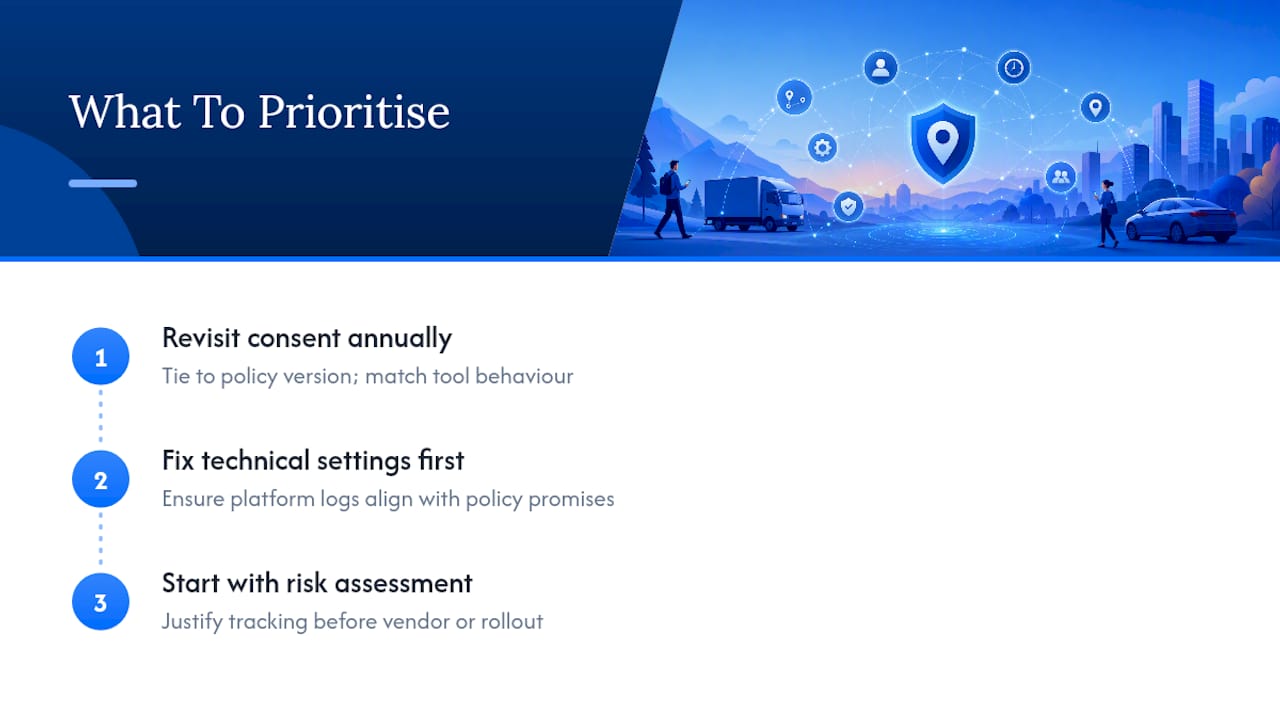
Most businesses also overrate legal wording and underrate technical configuration. You can write the most carefully worded policy in the country, but if the platform logs location outside the hours the document promises, the paperwork becomes evidence against you, not for you. Fix the settings first, then write the policy around what the system genuinely does.
Start with the risk assessment, not the template. It forces you to justify the tracking before you’ve committed to a vendor or a rollout date, and that order matters more than most employers assume.
— Mike
How Dirt Champ supports a compliant GPS tracking policy
Specialised software solutions provide truck and civil businesses ways to enforce policy controls without adding a second system to manage. Some GPS tracking systems connect directly through the vehicle’s OBD port, so location data can integrate with pre-starts, dockets, and compliance records rather than residing in a separate app.
Role-based access and centralised records mean you can show exactly who viewed tracking data and when, which matters the moment a policy is challenged. Retention settings and activity logs align with the technical controls outlined above, so the gap between what your policy promises and what the system actually does stays closed. If you’re rolling out a GPS tracking policy for employees and want the technical side to match the paperwork from day one, book a demo of Dirt Champ and see how it fits your fleet. Pairing it with consultation tools like safety meeting software can also help you brief staff clearly before go-live.
This article is general information, not a substitute for advice from a qualified lawyer. Consult a qualified legal professional about your own circumstances before acting on anything here.