6 Step Rollout for Digital Timesheets for Truck and Civil Supervisors

Use a construction-focused digital timesheet that captures GPS timestamps, enforces daily supervisor approvals, and exports payroll-ready hours. Dirt Champ builds these three requirements into one workflow rather than three separate tools. The reason is accuracy and auditability: paper sheets and generic apps break down under multi-site crews and subcontractor mixes. Below, the rollout checklist and demo tests to run before you commit.
TL;DR:
- Digital timesheets should support GPS timestamping, supervisor approvals, and export payroll-ready hours to improve accuracy and auditability.
- On-site capture methods include mobile GPS clock-ins, kiosks, QR/NFC check-ins, and offline sync, with privacy concerns addressed by limited location tracking.
- Daily supervisor approval and a transparent edit log are crucial to transform timesheets into defendable records for payroll disputes.
- Ensure the chosen system supports common export formats, correct field mapping, and thorough reconciliation testing before full deployment.
- Pilot programs should test GPS clock-ins, approval workflows, and payroll exports to verify the platform’s fit for real-world civil and trucking operations.
Table of Contents
- What digital timesheets for construction actually do
- How on-site capture works in practice
- Supervisor approvals and keeping timesheets audit-ready
- Payroll export and integrations: what to check first
- How to roll out digital timesheets on site: a 6-step checklist
- What ROI actually looks like in the first 3 months
- Why Dirt Champ is built for truck and civil operations
- What the timesheet conversation usually gets wrong
- Try the Dirt Champ demo: what to test on day one
- Sources
What digital timesheets for construction actually do
A construction timesheet is only as good as the fields it captures. Skip one and payroll ends up chasing the office for answers every fortnight.
At minimum, a digital timesheet needs to record:
- Project and cost code — which job and which budget line the hours sit against
- Start and finish times — captured at the moment of clock-in, not typed in later
- Break duration — unpaid breaks logged separately from worked hours
- Task or activity — what the crew actually did, useful for job costing
- Employee role or classification — needed for award rates and overtime rules
Beyond fields, the best systems verify the data as it’s captured. That means a GPS stamp tied to the clock-in, an optional photo of the work area, and an e-signature confirming the entry is accurate. Digital timesheets produce audit-ready records by combining mobile clock-ins with GPS snapshots and supervisor sign-off, which is what turns a timesheet into evidence rather than a guess.
On the reporting side, expect clean exports in formats your payroll software actually reads, plus dashboards that flag missing entries before the pay run locks. Anything less pushes the reconciliation work back onto your office staff.
How on-site capture works in practice
Crews are not uniform, so capture methods shouldn’t be either. The field methods worth knowing:
- Mobile GPS clock-in — fast, accurate, but assumes every worker has a compatible phone and reception
- Tablet kiosks — good for a shared entry point at a site shed, no personal device needed
- QR or NFC check-ins — quick scan-and-go, useful for subcontractors who rotate through multiple sites
- Offline sync — records locally when there’s no signal, then uploads once connectivity returns
Capture methods used in the field commonly include mobile apps, tablet kiosks, SMS or WhatsApp submissions, and QR-based check-ins, and each balances adoption against technical constraints. A crew with older devices and patchy battery life will lean on a kiosk; a mobile-first crew running between three sites a week will want app-based GPS capture with offline sync built in.
Pro Tip: Pair a shared kiosk with a lightweight mobile option on the same job. It covers workers without smartphones without forcing everyone onto one method.
On privacy, only track location during work hours and be upfront with your crew about what GPS data gets recorded and why. Minimal, work-hours-only tracking avoids the trust problems that come with always-on monitoring.
Supervisor approvals and keeping timesheets audit-ready
An unapproved timesheet is just a claim. Daily supervisor sign-off is what turns it into a record you can defend at pay run or in a dispute.
- Require same-day approval. Waiting until Friday to check a week of entries means errors compound and memories fade.
- Log every edit with who, when and why. An audit-ready edit history shows the original entry, the change, the timestamp and the person who made it, not just a final number.
- Restrict edit permissions. Only supervisors or admins should be able to alter submitted hours, and even then the system should keep the original entry visible.
- Attach evidence where it matters. A photo of the work site or an e-signature on the daily sheet gives you something concrete if a dispute lands weeks later.
Manager dashboards that show who is clocked in, where, and the approval state let supervisors catch errors before they reach payroll, which is a far cheaper fix than a correction after the pay run.
Payroll export and integrations: what to check first
Getting hours out of the timesheet system and into payroll cleanly is where most digital rollouts either save hours or create new ones. Before you commit to a platform, check three things:
- Export format support — CSV, Excel and API access cover most payroll systems; confirm yours is on the list
- Field mapping — employee ID, cost code and pay category need to map correctly, not just the total hours
- Reconciliation testing — run a parallel payroll cycle comparing the digital export against your current process before switching over fully
Best construction timesheet workflows connect capture directly to budget and payroll so hours update project forecasts in real time instead of sitting in a spreadsheet waiting for someone to retype them.
Watch for the usual pitfalls: missing cost codes that force manual lookups, double entry when two systems both think they own the record, and timezone mismatches on multi-state jobs that quietly shift timestamps by an hour. None of these are dealbreakers, but each one needs to be tested before go-live, not discovered on pay day.
How to roll out digital timesheets on site: a 6-step checklist
A rollout typically follows pilot, configure, train, test, lock, review. Vendors recommend short training sessions and simple templates to keep crew compliance high from week one, according to guidance from Crew Console.
- Pick one pilot crew or site. The site supervisor owns this step; choose a crew with a mix of device types.
- Configure the template. Match cost codes and task lists to your current job structure. IT or admin handles this.
- Run a short training session. Twenty minutes on-site beats an hour in a classroom. Acceptance criteria: every worker can clock in unassisted.
- Test payroll in parallel. Run the digital export alongside your existing process for one full pay cycle. Payroll officer signs off on the match.
- Lock the approval workflow. Once accuracy checks out, switch off manual overrides for anyone but supervisors.
- Review adoption after 30 days. Check completion rates and flag any crew still defaulting to paper.
Pro Tip: Keep the pilot template minimal at first. A stripped-back version that mirrors existing paperwork gets faster buy-in than a feature-heavy rollout on day one.
What ROI actually looks like in the first 3 months
Expect gradual gains, not overnight transformation. The realistic pattern is fewer payroll corrections initially, faster approval turnaround after some weeks, and measurable admin time saved within several months.
Track four numbers as you go: payroll processing time per cycle, approval rate within 24 hours, number of time disputes raised, and crew adoption rate across the pilot group. Digital timesheets outperform paper and spreadsheets on active sites because they reduce errors and centralise records for audits, which is exactly what shows up in these numbers if the rollout is done properly.
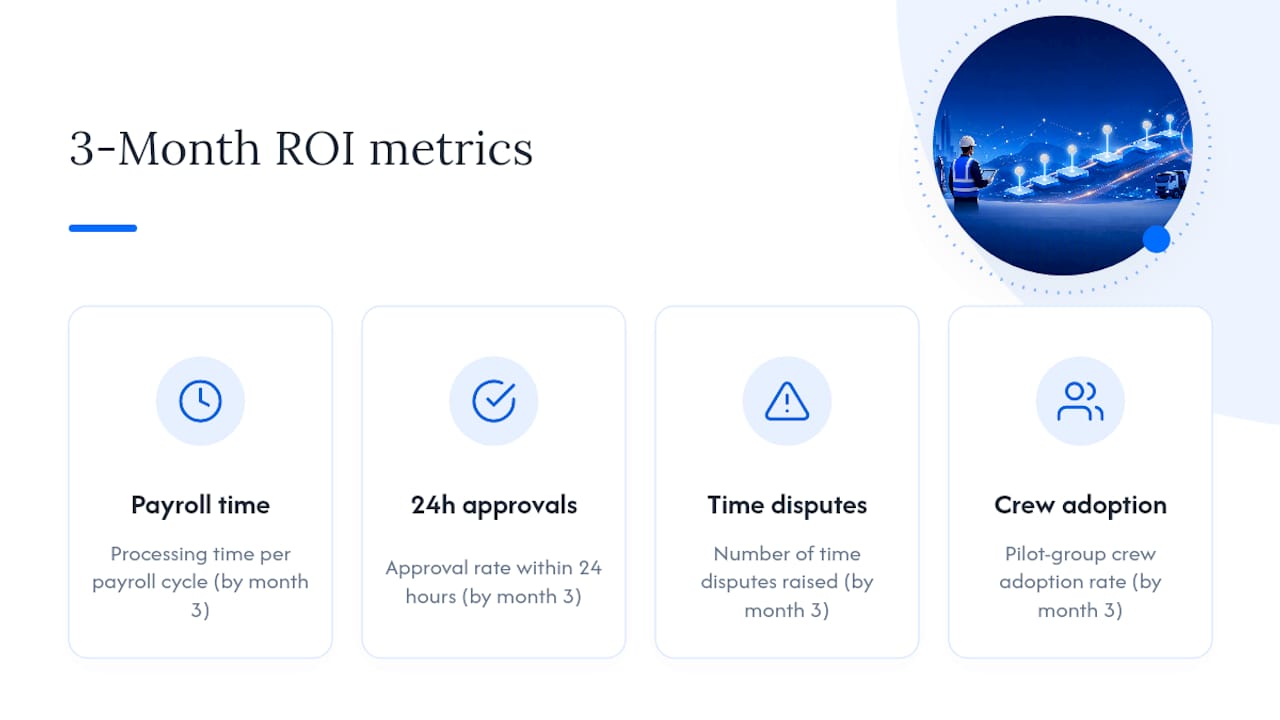
Three months is a conservative but honest timeframe to expect a measurable shift. Anything claiming instant results is skipping the parallel testing step that actually catches mapping errors.
Why Dirt Champ is built for truck and civil operations
Most timesheet apps are built for general trades and bolted onto construction as an afterthought. Dirt Champ starts from the truck and civil side of the industry, which changes what it prioritises.
- One workflow, not three tools — timesheets, rostering, GPS tracking, pre-starts and dockets sit in the same platform instead of separate logins
- GPS without complicated installs — vehicle tracking runs through the OBD port, so you get location data without a wiring job or a technician visit
- Office visibility in real time — supervisors and admin see the same live data, which shortens the gap between a shift ending and a timesheet being approved
That combination matters more in civil and trucking work than in general trades, where the asset tracking and compliance side carries as much weight as the hours themselves.
What the timesheet conversation usually gets wrong
Most advice on this topic treats the timesheet as an app choice. It isn’t. It’s a workflow decision that happens to be delivered through an app, and that distinction changes what you should prioritise.
The conventional advice leans hard on feature lists: does it have GPS, does it have photos, does it export to your payroll system. Fair questions, but they miss the sequencing problem. A platform with every feature still fails if supervisors don’t approve daily, because unapproved hours pile up into a Friday scramble that defeats the entire point of going digital.
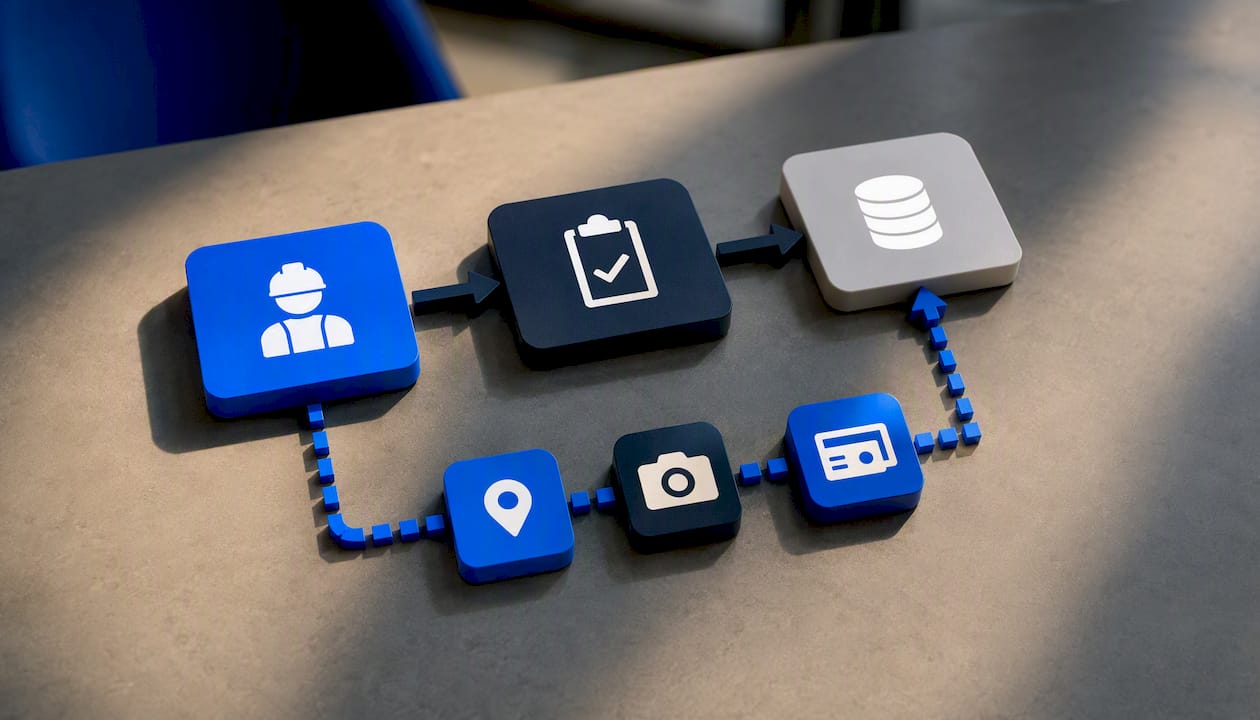
If there’s one thing to prioritise first, it’s the approval habit, not the software. Pick a tool that makes same-day approval the path of least resistance for a busy supervisor standing in a site shed at 4pm, not the one with the longest feature list. The payroll export matters too, but a clean export of poorly approved hours is still a mess, just a faster one.
Truck and civil operations have it slightly harder than general construction here, because the same crew member might touch three cost codes and two vehicles in one shift. That’s exactly where a category-specific platform earns its keep over a generic app stretched to fit.
— Mike
Try the Dirt Champ demo: what to test on day one
If you’re moving off paper or a generic app, the fastest way to know if a platform fits is to test the three things that actually break rollouts, not the feature list. Run these on day one of any demo: a mobile GPS clock-in from a real job site, a full supervisor approval cycle including an edited entry, and a payroll export mapped against your actual cost codes.
Judge the pilot on three criteria: did the clock-in capture a GPS timestamp without extra steps, did the approval flow log the edit history automatically, and did the export land in your payroll system without manual cleanup. Dirt Champ was built around truck and civil workflows specifically, so pre-starts, dockets, rostering and GPS tracking sit alongside the timesheet rather than needing a second system bolted on. If those three tests pass, you’ve found a platform worth rolling out past the pilot crew. Book a demo through Dirt Champ and run the same tests against your own job data before you commit.
Sources
For pilots, a free construction timesheet template gives you a starting layout to digitise without redesigning your fields from scratch. For deeper reading on capture methods and approval workflows, the construction timesheet guide from OneTrace covers GPS verification and audit-ready records in more detail than most vendor pages attempt.